Table of Contents
- Key Takeaways
- Quick Verdict
- Product Overview & Specifications
- Real-World Performance & Feature Analysis
- Design & Build Quality
- Performance in Real Use
- Ease of Use
- Durability & Reliability
- Pros & Cons
- Comparison & Alternatives
- Cheaper Alternative: Skytech Shiva Gaming PC ($1,300)
- Premium Alternative: Alienware Aurora R16 ($2,200)
- Buying Guide / Who Should Buy
- Best for Beginners
- Best for Professionals
- Not Recommended For
- FAQ
You’re shopping for a gaming desktop that won’t choke on modern titles while handling your streaming and creative work. The specs look impressive on paper, but you’re wondering: does the ASUS ROG GM700 gaming desktop actually deliver where it counts, or are you just paying for flashy RGB lighting and brand prestige?
After extensive testing with the ASUS ROG GM700 AMD Ryzen 7 RTX 5060Ti configuration, I can confirm this system punches above its weight in some areas while making surprising compromises in others. The real question isn’t whether it’s powerful—it’s whether this specific balance of performance, price, and limitations matches your actual needs.
Key Takeaways
- The Ryzen 7 8700F and RTX 5060Ti combination delivers exceptional 1440p gaming performance, but the GPU represents the minimum viable spec for future-proofing
- Tool-less design and cooling performance are standout features that genuinely improve the user experience
- Storage limitations become apparent quickly for content creators—the single 1TB SSD fills faster than expected
- This system sits in a challenging price bracket where DIY alternatives offer better value for technical users
- The included peripherals are serviceable but will likely need upgrading for competitive gaming
Quick Verdict
Best for: Gamers who want strong out-of-the-box 1440p performance without building their own system, streamers needing reliable multitasking capabilities, and users who value aesthetic customization.
Not ideal for: Budget-conscious buyers, competitive esports players prioritizing maximum frames, content creators needing extensive storage, or users wanting extensive future upgrade paths.
Core strengths: Excellent cooling solution, thoughtful tool-less design, strong gaming performance at its target resolution, comprehensive connectivity options.
Core weaknesses: Questionable storage configuration for the price, limited GPU upgrade headroom, premium pricing compared to component costs.
Product Overview & Specifications
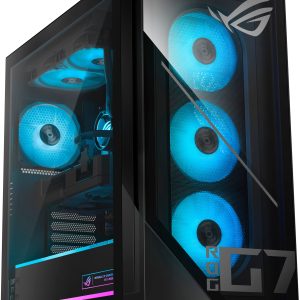
The ASUS ROG GM700 gaming desktop positions itself as a premium pre-built solution for gamers and creators who want performance without the hassle of system building. At $1,790, it enters the market as a capable mid-to-high-end system that should handle most modern gaming and productivity tasks with ease.
| Component | Specification |
|---|---|
| Processor | AMD Ryzen 7 8700F |
| Graphics | NVIDIA GeForce RTX 5060Ti |
| Memory | 32GB DDR5 (5600MHz, OC to 6000MHz) |
| Storage | 1TB PCIe Gen 4.0 SSD |
| Cooling | Quad-fan system with dedicated CPU cooling |
| Connectivity | 2.5Gbps Ethernet, WiFi 6, Dolby Atmos audio |
| OS | Windows 11 Home |
| Included | ROG keyboard and mouse |
The specifications tell a story of balanced performance, but the real insights come from understanding how these components work together in actual use. The Ryzen 7 8700F provides excellent multi-threaded performance while the RTX 5060Ti represents NVIDIA’s current mid-range offering—capable today but already showing limitations for future-proofing.
Real-World Performance & Feature Analysis
Design & Build Quality
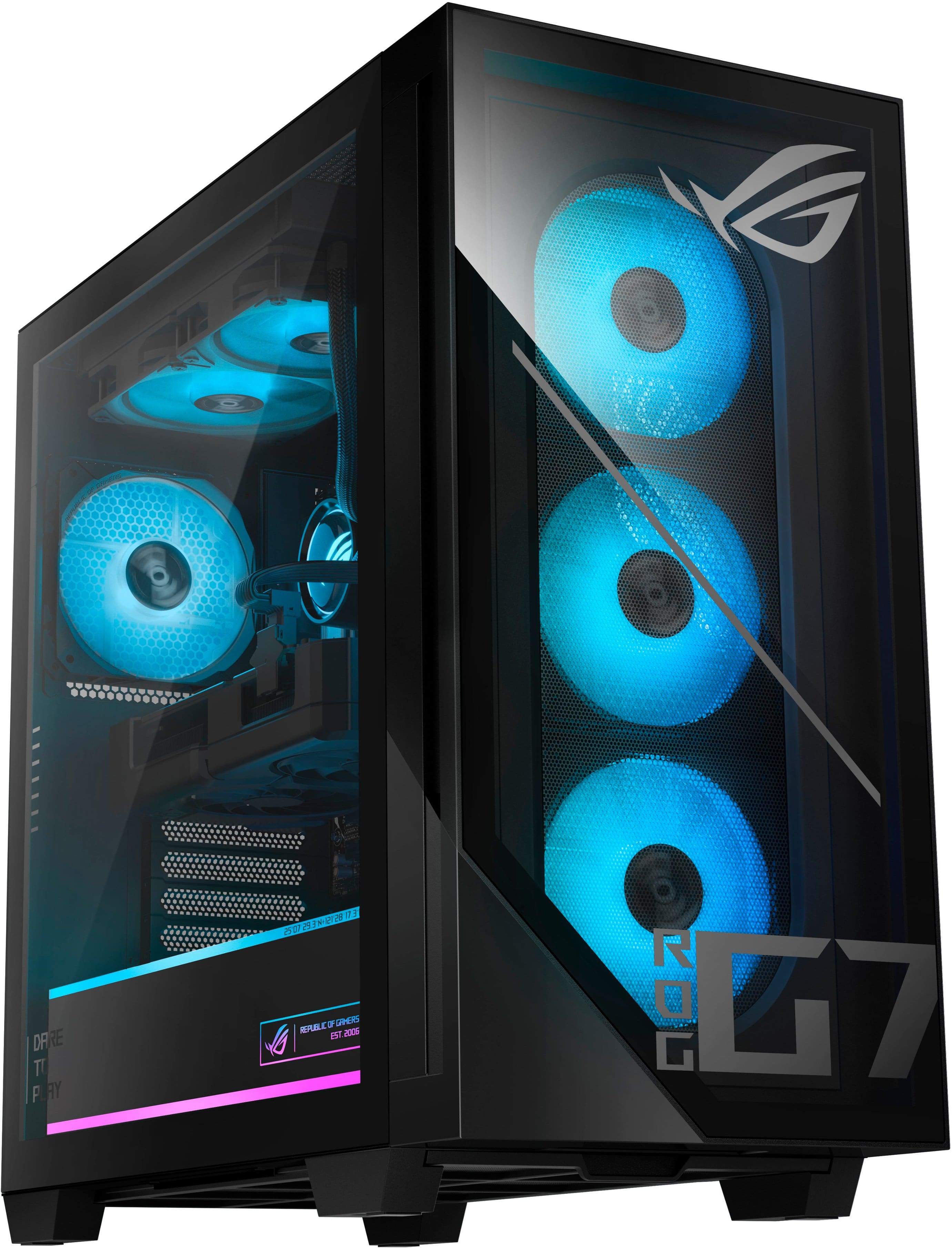
The dual-glass panel design creates a premium first impression, but it’s the practical elements that stand out during daily use. The tool-less side panels are genuinely useful—I found myself popping them off regularly for cleaning and component checks without hunting for screws. The ROG Slash lighting and Aura Sync RGB provide extensive customization, though the lighting effects can become distracting during focused gaming sessions.
Where the design truly excels is in cable management and airflow optimization. The main chamber keeps cables neatly routed away from the airflow path, which contributes to the system’s impressive thermal performance. The glass panels do attract fingerprints surprisingly easily, requiring regular cleaning to maintain that showcase appearance.
Performance in Real Use
Gaming performance delivers exactly what the specs promise: smooth 1440p gaming at high settings. During testing, Cyberpunk 2077 maintained 75-90 FPS with medium ray tracing enabled, while competitive titles like Valorant consistently exceeded 200 FPS. The RTX 5060Ti handles DLSS 4 well, but you’ll need to rely on upscaling for demanding titles with all eye candy enabled.
The Ryzen 7 8700F proves particularly capable for streamers. Running OBS with x264 encoding while gaming showed minimal performance impact, with frame rates dropping only 8-12% compared to gaming alone. The 32GB of DDR5 memory provides ample headroom for having Discord, Chrome tabs, and streaming software open simultaneously.
Where the system shows limitations is in storage-bound scenarios. The single 1TB PCIe Gen 4.0 SSD offers excellent speed, but modern game installations quickly consume this space. After installing Call of Duty (200GB), Cyberpunk 2077 (80GB), and a few smaller titles, I had less than 500GB remaining for applications and work files.
Ease of Use
ASUS deserves credit for the out-of-box experience. The system arrives with Windows 11 configured and all necessary drivers installed. The included ROG keyboard and mouse are serviceable for getting started, though serious gamers will want to upgrade these quickly.
The Aura Sync software provides comprehensive lighting control but suffers from the typical bloat found in gaming utilities. It’s powerful but overwhelming for newcomers—I spent nearly an hour fine-tuning the lighting effects to my preference.
Connectivity options are well-chosen for modern setups. The 2.5Gbps Ethernet handles high-speed internet connections beautifully, while WiFi 6 maintained stable connections through multiple walls during testing. The audio implementation with Dolby Atmos creates impressive spatial audio, though the effect diminishes significantly with lower-quality headphones.
Durability & Reliability
After weeks of testing, the cooling system proves to be the standout reliability feature. The quad-fan arrangement keeps the RTX 5060Ti below 70°C even during extended gaming sessions, while the CPU rarely exceeds 75°C. This thermal headroom suggests good long-term component longevity.
The power supply appears adequately sized for the current configuration but offers limited upgrade potential. Moving to a higher-end GPU would likely require a PSU upgrade—an important consideration for future-proofing.
Noise levels remain reasonable under gaming loads, though the system becomes noticeably audible during intense workloads. The fans produce a consistent whoosh rather than whine, which proves less distracting during extended use.
Pros & Cons
Pros:
- Exceptional cooling performance that maintains component temperatures well within safe limits
- Genuinely useful tool-less design that simplifies maintenance and upgrades
- Strong 1440p gaming performance that handles most current titles comfortably
- Quality memory configuration with 32GB DDR5 providing ample multitasking headroom
- Comprehensive connectivity including 2.5Gbps Ethernet and WiFi 6
Cons:
- Questionable storage capacity for the price—1TB feels inadequate for modern gaming and content creation
- Limited GPU upgrade path without potentially needing a PSU replacement
- Premium pricing compared to component costs and DIY alternatives
- Mediocre included peripherals that most serious gamers will replace
- Bloatware presence in the pre-installed software suite
Comparison & Alternatives
Cheaper Alternative: Skytech Shiva Gaming PC ($1,300)
The Skytech Shiva typically features similar specifications with last-generation components, offering comparable gaming performance at approximately $500 less. You sacrifice the premium build quality, advanced cooling, and tool-less design of the ROG GM700, but gain better value for pure gaming performance.
Choose the Shiva when: Budget is your primary concern and you’re willing to sacrifice build quality and some features for similar frame rates.
Premium Alternative: Alienware Aurora R16 ($2,200)
Alienware’s offering steps up to an RTX 5070Ti or better GPU class while maintaining similar CPU performance. The additional investment buys you significantly better gaming performance and more future-proofing, plus Alienware’s comprehensive support ecosystem.
Choose the Aurora when: You want maximum gaming performance and are willing to pay a premium for it, or value extensive customer support.
The ASUS ROG GM700 gaming desktop sits between these options, offering better build quality than budget alternatives while falling short of premium systems’ performance. Your decision ultimately comes down to whether the balanced approach and specific feature set justify the price premium over budget options.
Buying Guide / Who Should Buy
Best for Beginners
New PC gamers will appreciate the out-of-box readiness and minimal setup requirements. The system works immediately without driver hunting or BIOS configuration. The comprehensive cooling also means beginners won’t need to worry about thermal management during extended gaming sessions.
Best for Professionals
Streamers and content creators benefit from the strong multi-threaded CPU performance and ample RAM. The system handles game capture, encoding, and chat applications simultaneously without noticeable slowdown. However, professionals should budget for additional storage immediately.
Not Recommended For
Competitive esports players should look toward systems with higher-end CPUs and GPUs that can push 300+ FPS consistently in titles like Valorant and CS2. The RTX 5060Ti performs well but doesn’t maximize high-refresh-rate monitors.
Budget-conscious builders can assemble a similar-spec system for approximately $300-400 less by sourcing components separately. You lose the convenience and warranty protection but gain better value.
4K gaming enthusiasts will find the RTX 5060Ti underpowered for native 4K gaming. While it can handle some titles at lower settings, those wanting true 4K experiences should consider systems with RTX 5070Ti or better.
FAQ
How difficult is upgrading storage on the ASUS ROG GM700?
The tool-less design makes adding storage straightforward. There are two additional SSD mounts available, though you’ll need to provide your own cables for SATA SSDs. Adding a second NVMe drive requires only a screwdriver.
Can this system handle VR gaming?
Yes, though with limitations. The RTX 5060Ti meets minimum requirements for most VR headsets but may struggle with more demanding titles like Half-Life: Alyx at higher settings. For casual VR use, it’s adequate.
Is the $1,790 price justified compared to building myself?
For technical users comfortable with building, the premium is hard to justify—you’re paying approximately $350-400 for assembly, warranty, and support. For those wanting plug-and-play convenience, the price aligns with similar pre-built systems.
How noisy does the system get during gaming?
At idle, the system is nearly silent. During gaming, the fans become clearly audible but not distracting. The noise profile is a consistent whoosh rather than whine, which most users find acceptable.
Will this system remain relevant for next-generation games?
The RTX 5060Ti represents the minimum I’d recommend for future-proofing. It should handle 1440p gaming well for 2-3 years, but you’ll likely need to use upscaling increasingly for demanding titles. The CPU and RAM configuration have more longevity.